
Making a song with AI is now easier than ever.
In the past, creating a complete song usually required writing lyrics, arranging the music, recording vocals, and mixing everything together. For most people, the entire process had a fairly high barrier to entry.
Now, all you need is an idea, a set of lyrics, or even just a simple description, and AI can help you generate a complete song.
The tool used in this tutorial is Songnexa, and it is very easy to use.
If this is your first time making a song, you can simply follow the steps below.
1. Open Songnexa
First, open Songnexa:
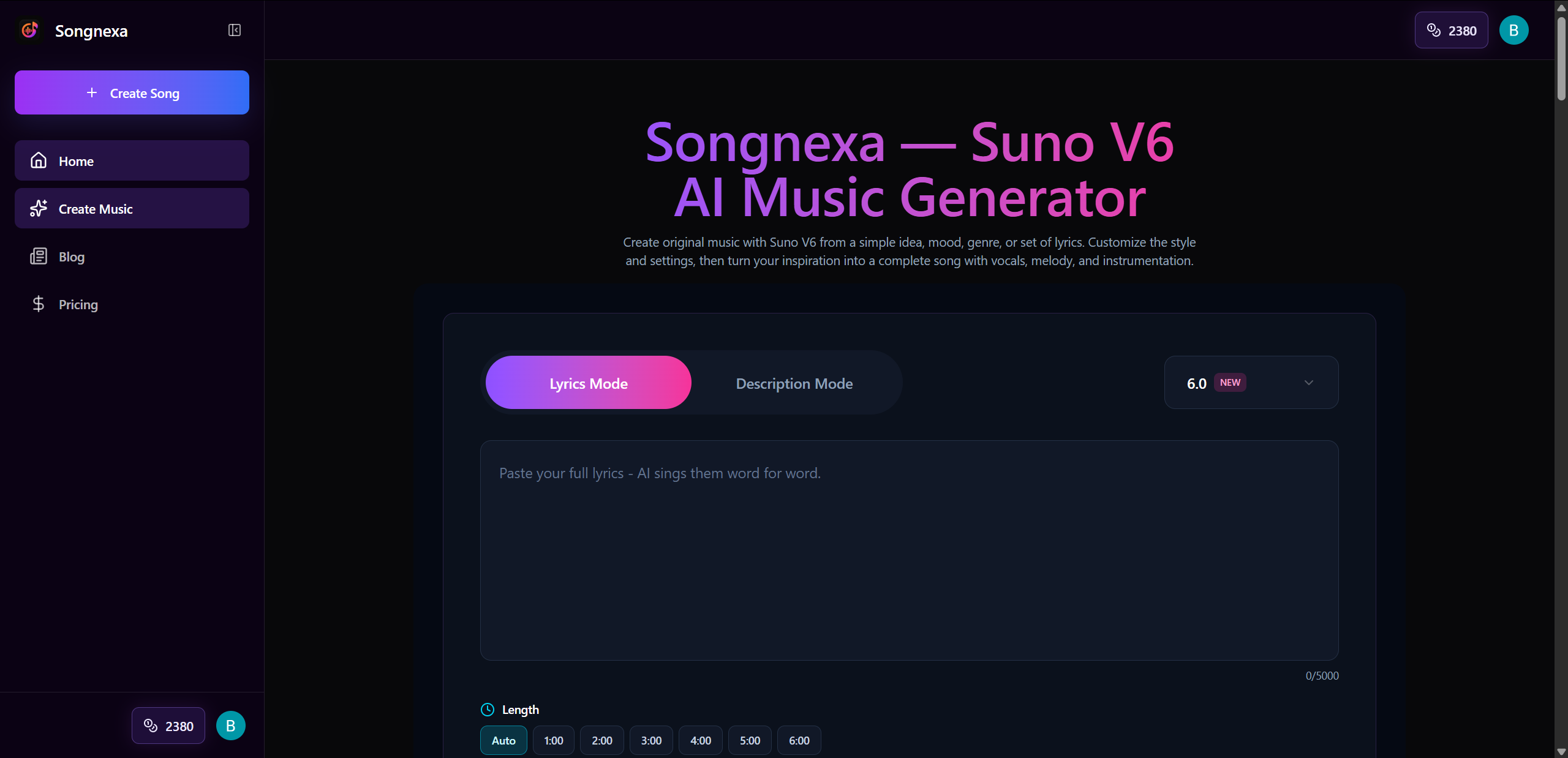
Songnexa is an online AI music generator that works directly in your browser, so there is no need to install any software.
After opening the homepage, you will see the song generation area.
The two most important modes are:
Lyrics Mode
and
Description Mode
If you already have lyrics ready, I recommend using Lyrics Mode.
If you do not have lyrics yet and only have an idea for a song, you can use Description Mode.
2. How to Make a Hit Song: Choose the Right Direction First
You should not simply tell the AI:
“Generate a pop song for me.”
A simple description like this can still generate a song, but the result will be much more random.
It is better to first define a few basic elements.
- Genre: Pop
- Mood: Romantic
- Tempo: Upbeat
- Vocal: Male Vocal
- Key Feature: Catchy Chorus
- Overall Feel: Modern / Radio-friendly
Once you combine these elements, the direction of the song becomes much clearer.
For this example, we are going to create:
A modern pop song with an upbeat rhythm, a romantic feeling, male vocals, and a catchy chorus that is easy to remember.
This is much more specific than simply asking AI to “generate a pop song.”
3. If This Is Your First Song, Start with Description Mode
If you have no songwriting experience, I recommend starting with Description Mode.
This mode does not require you to prepare complete lyrics in advance.
You only need to tell the AI:
What kind of song you want.
For example, if we want to create a modern pop song, we can enter:
Create a modern upbeat pop song about wanting someone to stay for one more night. Use an emotional male vocal, a catchy chorus, bright synths, and punchy drums.
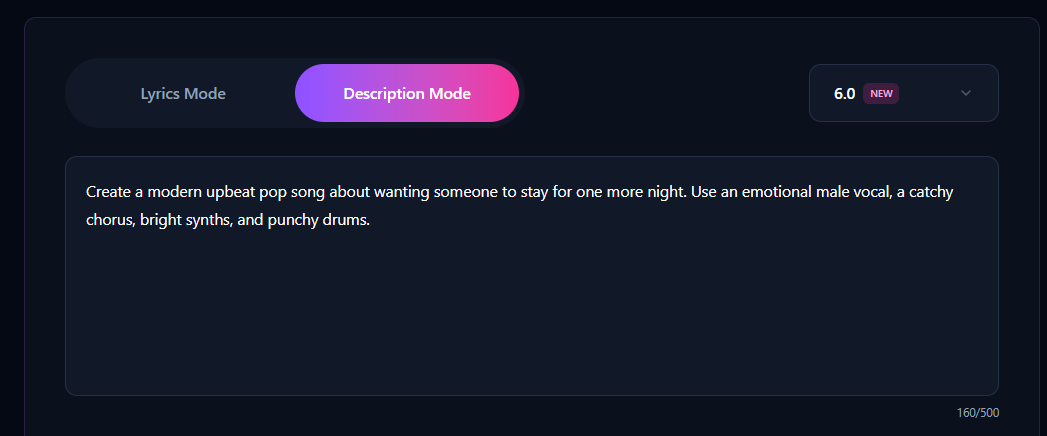
This prompt mainly includes the following information:
- Modern upbeat pop
- The theme is wanting someone you love to stay for one more night
- Male vocal
- Catchy chorus
- Bright synths
- Punchy drums
This gives the AI a clear direction for generating the song.
If you do not want to write such a detailed prompt, you can also use a simpler version:
Create a catchy modern pop song about love and missing someone.
This can also generate a song, but you will have less control over the final result.
You can simply click Generate at this point. This is the easiest method, and no additional settings are required.
Duration Settings
Choose a duration of 2–3 minutes. Otherwise, you may only get a short chorus that lasts a few dozen seconds.

If you want more control over the song, continue with the tutorial below.
4. How to Make a Hit Song with a Catchy Hook
The chorus is extremely important if you want people to remember your song, especially for pop music.
A hook can be understood as the most memorable line in a song.
The theme of the song in our example is:
“Wanting someone to stay for one more night.”
So the hook can be:
Stay one more night
This line is short and works well when repeated.
We can even use the same phrase as the song title:
Stay One More Night
This keeps the song title and the chorus hook consistent.
If you do not know how to write a hook yourself, you can also ask AI to generate one for you.
Enter:
Write 5 short and catchy chorus hooks for a modern pop song about asking someone to stay one more night.
Then choose the one you like best.
5. After You Have a Hook, Prepare the Lyrics
If you want more control over the song, you can switch to Lyrics Mode.
This allows you to control:
- The theme of the lyrics
- Verse content
- Chorus
- Bridge
- Number of repetitions
- Hook
A pop song can use a structure like this:
Verse 1 tells the story.
The Pre-Chorus begins to build emotion.
The Chorus contains the most memorable part of the song.
Verse 2 continues the story.
The Bridge introduces a change.
Finally, the song returns to the Final Chorus.
You can first ask AI to write the lyrics based on your hook:
Write a complete modern pop song around the hook “Stay One More Night”. Use the structure Verse 1, Pre-Chorus, Chorus, Verse 2, Chorus, Bridge, Final Chorus. Keep the lyrics simple, emotional, and easy to sing.
Once the lyrics are generated, copy them into Songnexa's Lyrics Mode.
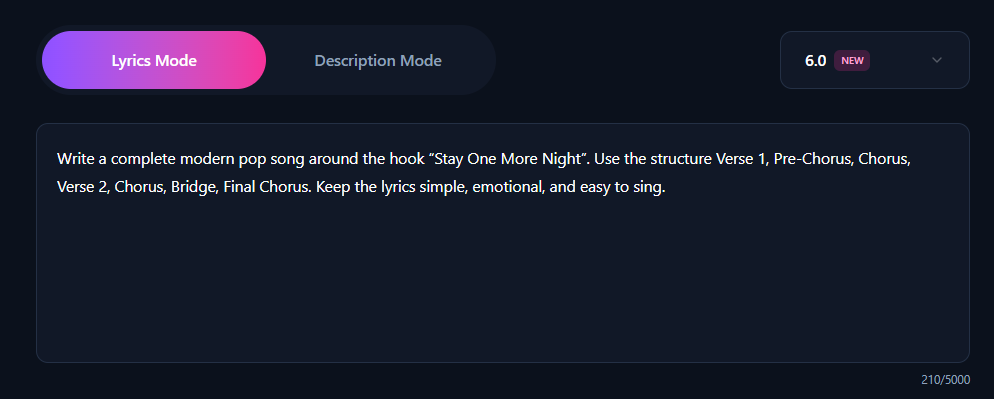
Duration Settings
Choose a duration of 2–3 minutes. Otherwise, you may only get a short chorus that lasts a few dozen seconds.
6. Do Not Enter Only “Pop” for Style & Genre
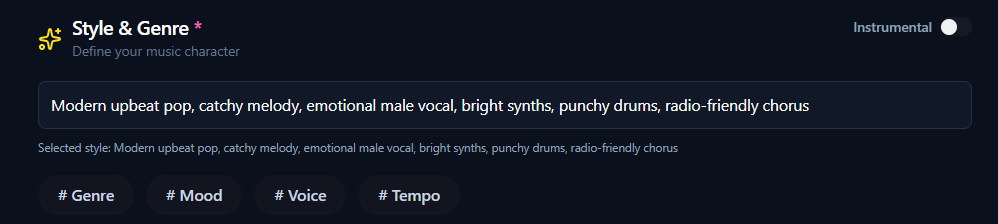
For Style & Genre, combine the different elements of the sound you want.
For example:
Modern upbeat pop, catchy melody, emotional male vocal, bright synths, punchy drums, radio-friendly chorus
If you want something more emotional and slower, you can use:
Emotional pop ballad, warm male vocal, piano-driven melody, soft drums, cinematic atmosphere, powerful chorus
If you want a rock style, try:
Modern pop rock, energetic male vocal, electric guitars, strong drums, catchy chorus, emotional bridge
Genre + Mood + Vocal + Instrument + Chorus characteristics
7. A Hit Song Needs a Memorable Title
A practical approach is to choose a line directly from the Chorus or Hook.
For example, our main hook is:
Stay One More Night
So the song title can simply be:
Stay One More Night
This keeps the title, lyrics theme, and chorus consistent.
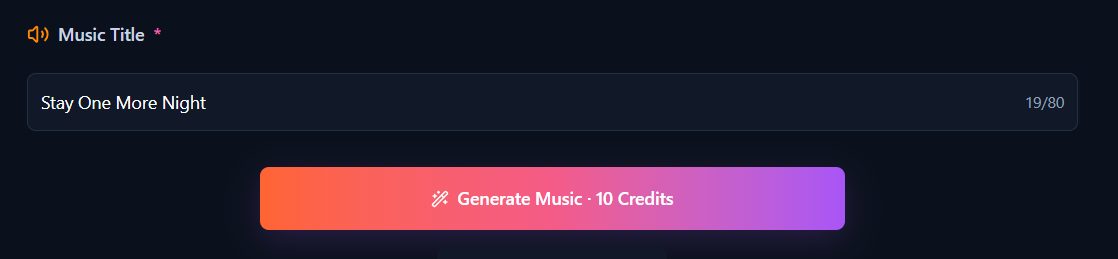
After all the settings are complete, click Generate.
Songnexa will begin generating the song.
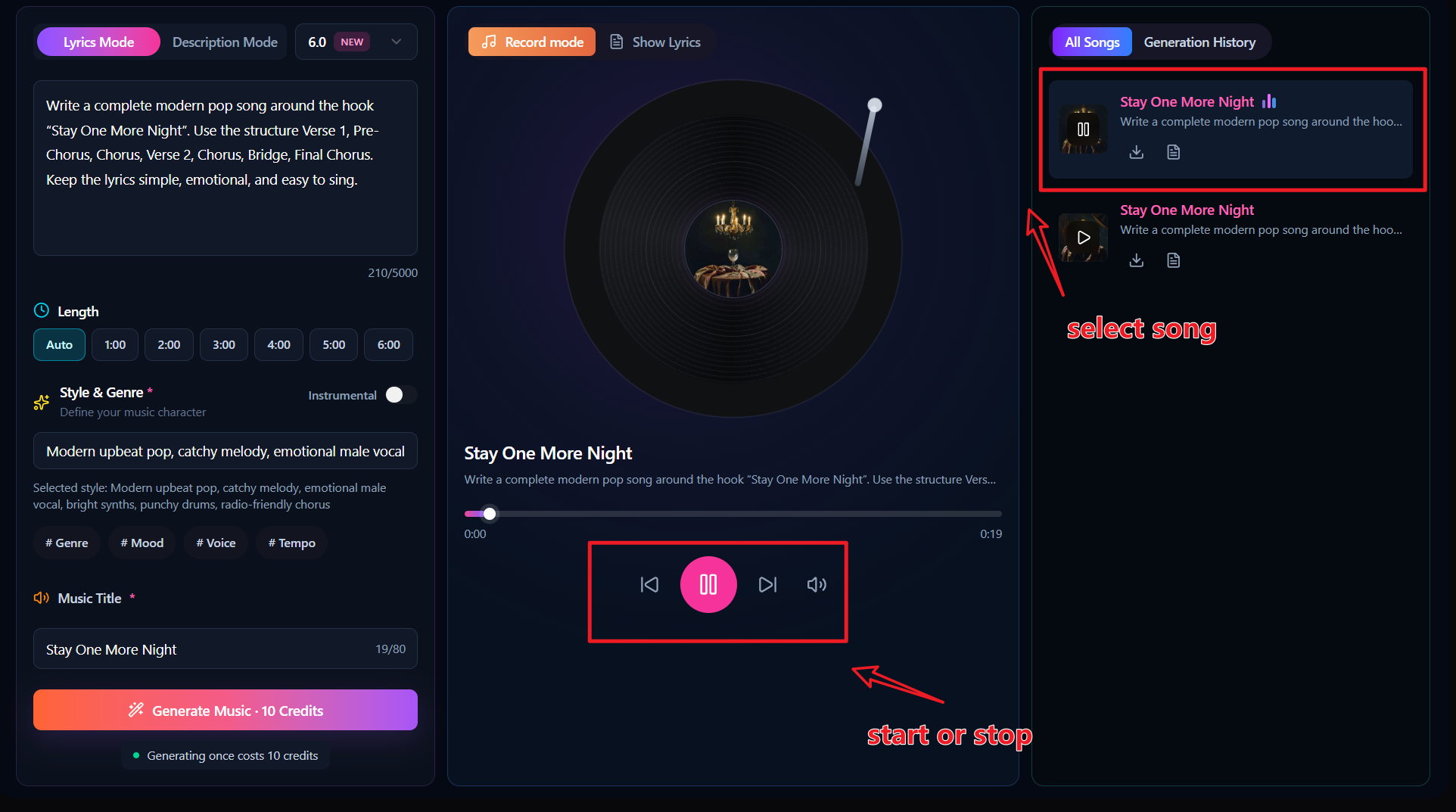
After a short wait, you will get the complete result. On the right side, you can view the newly generated songs as well as your previous generation history.
Click the generated result on the far right to start playing the song.
8. How to Make a Hit Song Without Overcomplicating It
When many people see the phrase “How to Make a Hit Song,” their first reaction may be that they need:
Very complicated lyrics.
Very complicated arrangements.
A lot of music theory.
In reality, if you are using AI to create a song that is easier to listen to and easier to remember, it is often better to start simple.
Focus on a few important things:
First, keep the theme clear.
Second, keep the Hook short.
Third, use repetition in the Chorus.
Fourth, make your Style description specific.
Fifth, generate several versions and compare them.
AI music generation does not produce the perfect result every time.
Generating two or three rounds usually gives you a much better chance of finding a version you like.
Whether your question is “how to make AI songs?”, “how to use AI to make a song?”, or “how to make an AI song in 1 minute?”, this tutorial can help you get started.